


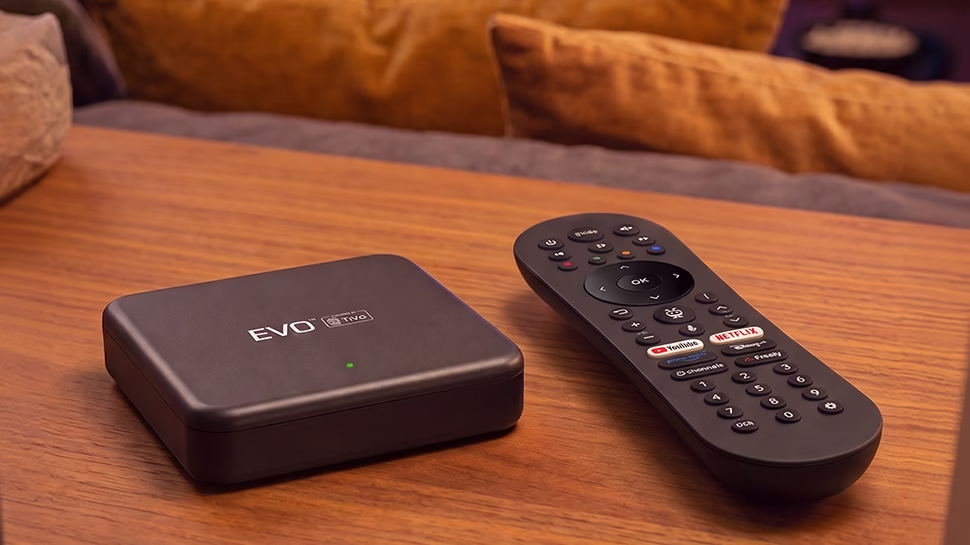
Wildanet TV is our TV service that runs entirely through your Wildanet Full Fibre broadband connection. Powered by TiVo and Freely, it brings together live TV, catch-up services and all your favourite streaming apps in one simple place, whether you’re watching at home or picking up where you left off.
That means no engineer visits, no complicated installation process and no extra equipment on your roof. Simply plug in the box, connect it to your Wi-Fi and start watching in minutes.
I Need Help With...
How it works
Connect your Wildanet TV box to your television and your Wildanet Full Fibre broadband connection.
Wildanet TV then delivers live channels, catch-up services and streaming apps directly over your broadband connection, so there’s no need for an aerial or satellite dish.
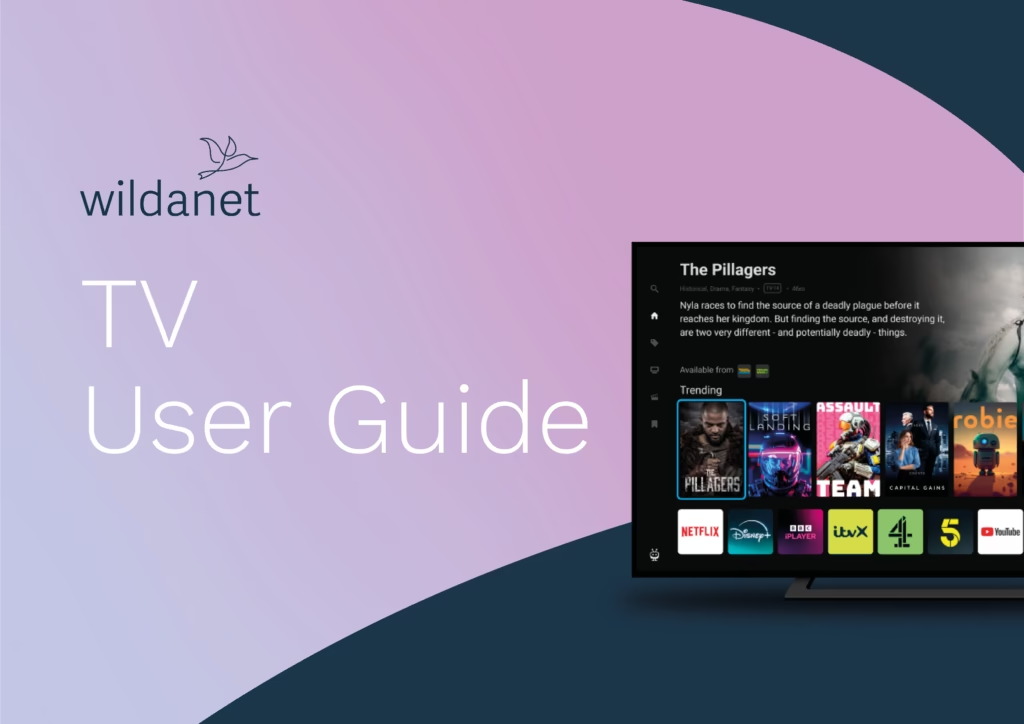
Everything is brought together in one place, allowing you to search, browse and watch your favourite programmes using a single remote control.
What features are included with Wildanet TV?
Wildanet TV comes packed with useful features designed to make watching television simpler, smarter and more enjoyable.
Here’s what you get:
Hundreds of Live TV Channels
delivered through Freely and other TV channels, with no aerial required.
Popular Streaming Apps
such as Netflix, Prime Video, Disney+, Plex and more, all in one place.
Catch-up TV
from services including BBC iPlayer, ITVX, Channel 4, Channel 5 and more.
Voice Search
allowing you to find programmes, films, actors and channels simply by asking.
Personalised Recommendations
based on what you enjoy watching.
One Simple Remote Control
for live TV, streaming services and catch-up content.
Quick Self-installation
with no engineer appointments or complicated setup process.
Friendly Local Support
from our Cornwall-based team whenever you need a helping hand.
Common FAQs
Still can’t find what you’re looking for? Find answers to some of the most commonly asked questions
1. The Basics
Wildanet TV is a service which provides you with 70+ Broadcast TV Channels via Freely (with 35+ delivered in HD), 400+ TiVo channels, and access to dozens of streaming apps via a set top box powered by TiVo.
Freely is a free TV streaming platform that lets you watch live UK channels over your broadband connection.
Unlike Freeview, Freely doesn’t require an aerial – everything is delivered over WiFi, so there’s no need for additional cables.
Freely includes many of the same channels available on Freeview but has 20+ more HD channels, with more content being added over time.
TiVo is a global entertainment platform with over 25 years of experience and expertise working with major Operator and TV/STB Manufacturers all over the world.
It brings together live TV, streaming apps, and on-demand content into one simple, easy-to-use experience — making it easier to find, watch, and enjoy what you love.
No. Wildanet TV gets all its live TV through your broadband connection using Freely.
You don’t need an aerial, a satellite dish, or any other input – just an HDMI cable to your TV and an internet connection.
This means you can put it in any room with a TV, including rooms with no aerial socket.
2. Channels, Apps & Subscriptions
Our set top box supports a wide range of channels and apps, including:
- 70+ Live broadcast TV channels via Freely
- Catch up TV apps from the UK Public Service Broadcaster: BBC iPlayer, ITVX, Channel 4, Channel 5
- Global streaming services: Netflix, Prime Video, Disney+, HBO MAX, Premier Sports and more
- Free streaming apps:
- More apps and services continue to be added over time.
No, whilst these premium services have apps that are supported by the Wildanet TV set top box, you must sign up for an account directly with the provider to access the content.
This ensures you only pay for the services you need and are able to get the best offers directly from the suppliers.
Yes, in most cases you’ll need to sign in to each subscription app (such as Netflix or Disney+) the first time you use them. Once set up, you can easily switch between apps and content without having to log back in.
All of the UK PSB (Public Service Broadcasters – i.e. BBC, ITV, C4 and C5) and many other apps such as TUBI/PLEX are free to use.
The monthly rental you pay to Wildanet also covers the cost of the hardware and access to the 400+ TiVo Channels.
Premium subscription services like Netflix, Prime, Disney+, HBO MAX and others require a monthly subscription fee with varying pricing options that you will have to pay directly to the content provider. You can sign up through the TV or online from another device.
Yes, TiVo supports all the major UK Public Service Broadcaster services.
You can access catch-up content in two ways:
- Through broadcaster apps such as BBC iPlayer, ITVX, and Channel 4
- Directly from the TV guide, where you can scroll back to watch programmes that have already aired
3. Using Wildanet TV
TiVo Conversation Voice is a solution that lets you use your voice to quickly find and control content.
You can simply press the microphone button on your remote and say things like: “Find me Tom Cruise movies” or “Open iPlayer” and TiVo will present all the options available for you in one place.
It’s an easy way to search and navigate without typing.
No, our set top box doesn’t record. Most streaming devices today no longer record programmes as content is generally available on demand.
Yes, you can pause Live TV on freely for 15 minutes. Once paused, you can either resume from the pause point or jump back to live. It’s not possible to fast-forward, rewind, or scrubbing on a paused programme.
Yes, our set top box supports Google Cast, so you can cast content from your phone directly to the Wildanet TV box. This is especially useful for apps that don’t have a dedicated TiVo OS app – for example, you can play Now TV on your phone and cast it to your TV through the Wildanet TV set top box.
Yes, the media files can be played in two ways:
From a USB drive plugged into the set top box’s data USB‑C port. You can then access the files through the Media Player app on the home screen. The set top box supports a wide range of common formats including MKV, MP4, MOV, AVI, amongst others.
By using Plex. if you have a Plex Media Server on the same WiFi network, then the Plex app on our set top box can connect to it. The Aero doesn’t include a built-in DLNA media player, so it can’t browse files on a NAS or computer directly. Plex is the most reliable way to play your own video library on the Aero.
4. Setup & Technical Requirements
This is explained in detail in our quick start guide here
Yes. Our set top box outputs in 4K and supports 4K streaming from BBC iPlayer, Netflix, Disney+, Prime Video, and YouTube.
It supports HDR10 and HDR10+. Dolby Vision isn’t supported, but HDR10+ uses dynamic metadata that adjusts the picture scene by scene, much like Dolby Vision, so HDR quality is very close in practice.
Freely live TV channels aren’t currently broadcast in 4K. When 4K streams become available on Freely, our set top box will support them automatically as it is 4K-ready.
You’ll need a 4K TV and a suitable HDMI connection for 4K playback.
No. Our set top box supports HDR10 and HDR10+, but not Dolby Vision.
Wildanet TV will work with all of our FTTP tariffs.
5. Legal & Privacy
Yes, in the UK, a TV licence is required to:
- Watch live TV (including channels delivered via Freely)
- Watch or stream content on BBC iPlayer
You do not need a TV licence for most on-demand content from other streaming services (such as Netflix or Disney+).
For full details, please refer to the official TV Licensing website: https://www.tvlicensing.co.uk/
During setup, all the terms and conditions – including the data-sharing agreements and the privacy consents for voice commands and viewership data – are displayed on screen. You can read them in full and choose to accept or reject each one before you start using the box. These consents are controlled by TiVo OS. Wildanet does not collect any data from the Wildanet TV set top box.
If you’d like to review or change your data-sharing choices later, go to Settings → Legal on the set top box.
For voice control, the microphone in the TV remote is only active while you hold down the mic button to make a voice request – it is not listening the rest of the time. If you’d rather not use voice control at all, simply don’t press the mic button.